Hyperbuilding A - Centralized Data Infrastructure
Enable cross-disciplinary collaboration through shared data standards, real-time feedback, and transparent performance tracking.
The project was structured around a shared conceptual framework inspired by the Zen practice of Ensō, emphasizing completeness, continuity, and cyclical evaluation. Each design team translated this framework into discipline-specific KPIs, allowing abstract principles to be operationalized as measurable targets.

For Hyperbuilding A, the Data Team designed and implemented a centralized data infrastructure to support coordination across multiple design teams. Rather than producing geometry, the team focused on organizing information flow, validating data integrity, and translating conceptual goals into measurable metrics that could guide decision-making throughout the project lifecycle.
Overview
Data Infrastructure and Automation

Dashboards, Visualization, and Communication
Generated images were converted into textured 3D meshes using Hunyuan3D, producing lightweight assets suitable for VR, games, and spatial visualization.
Dashboard System
Two levels of dashboards were developed:
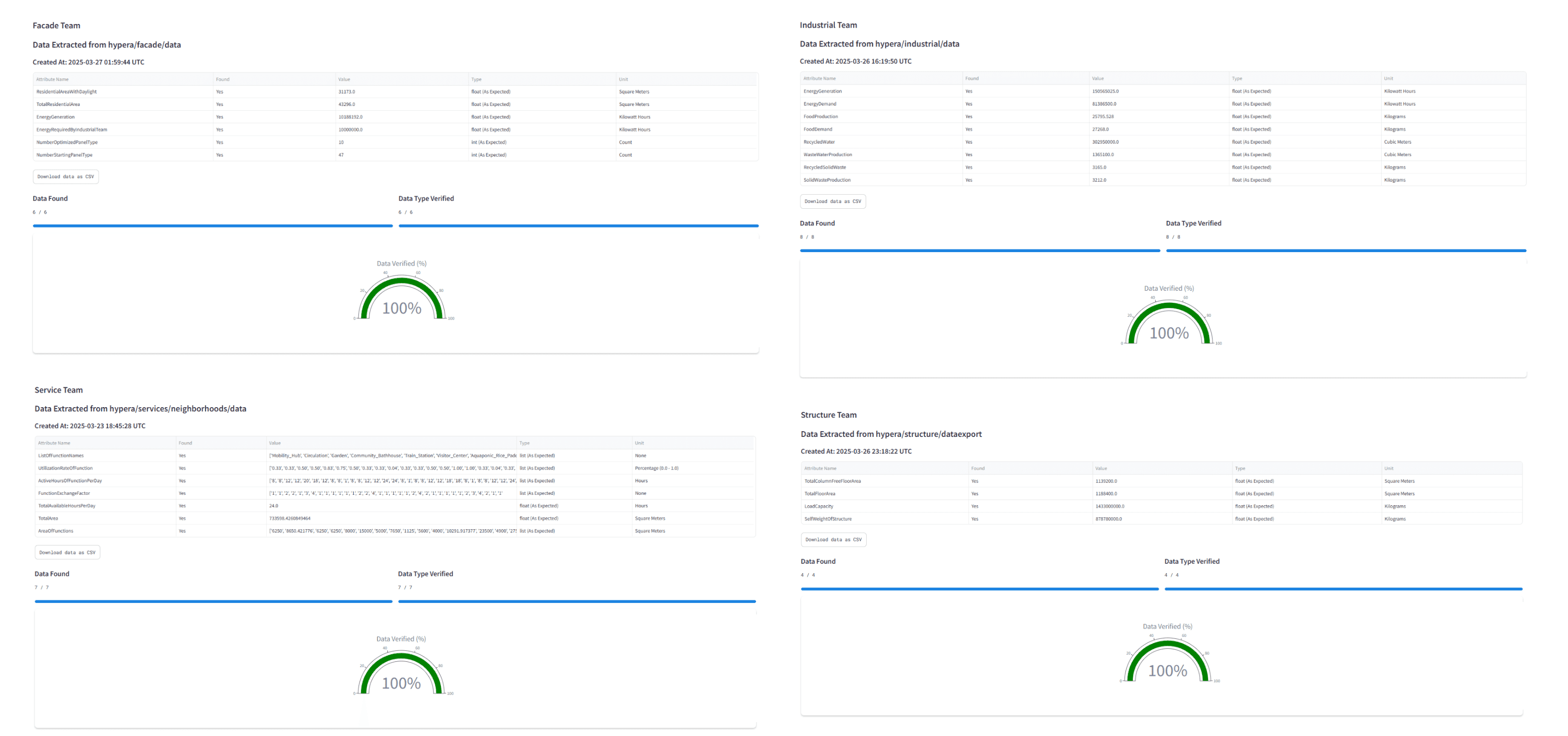
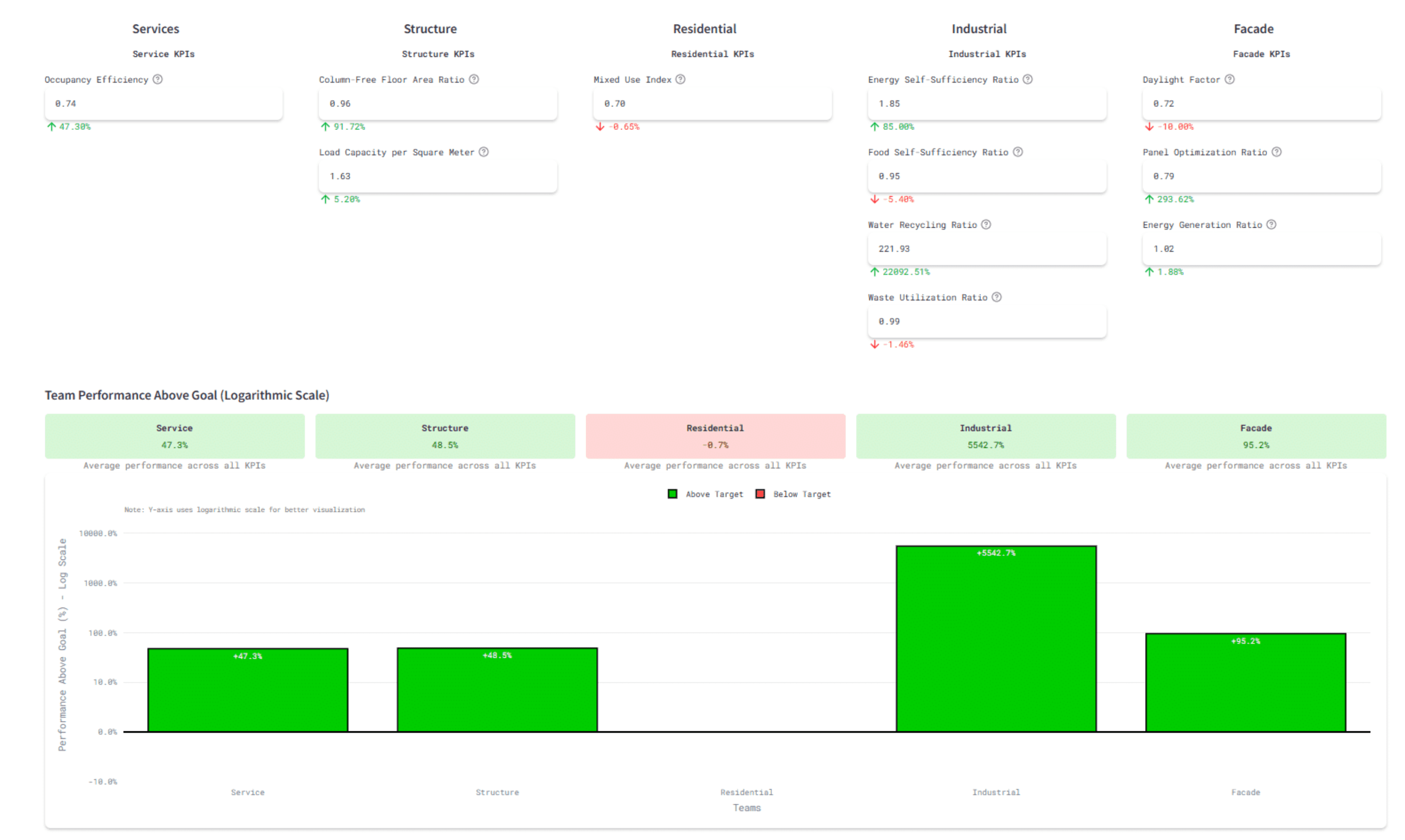
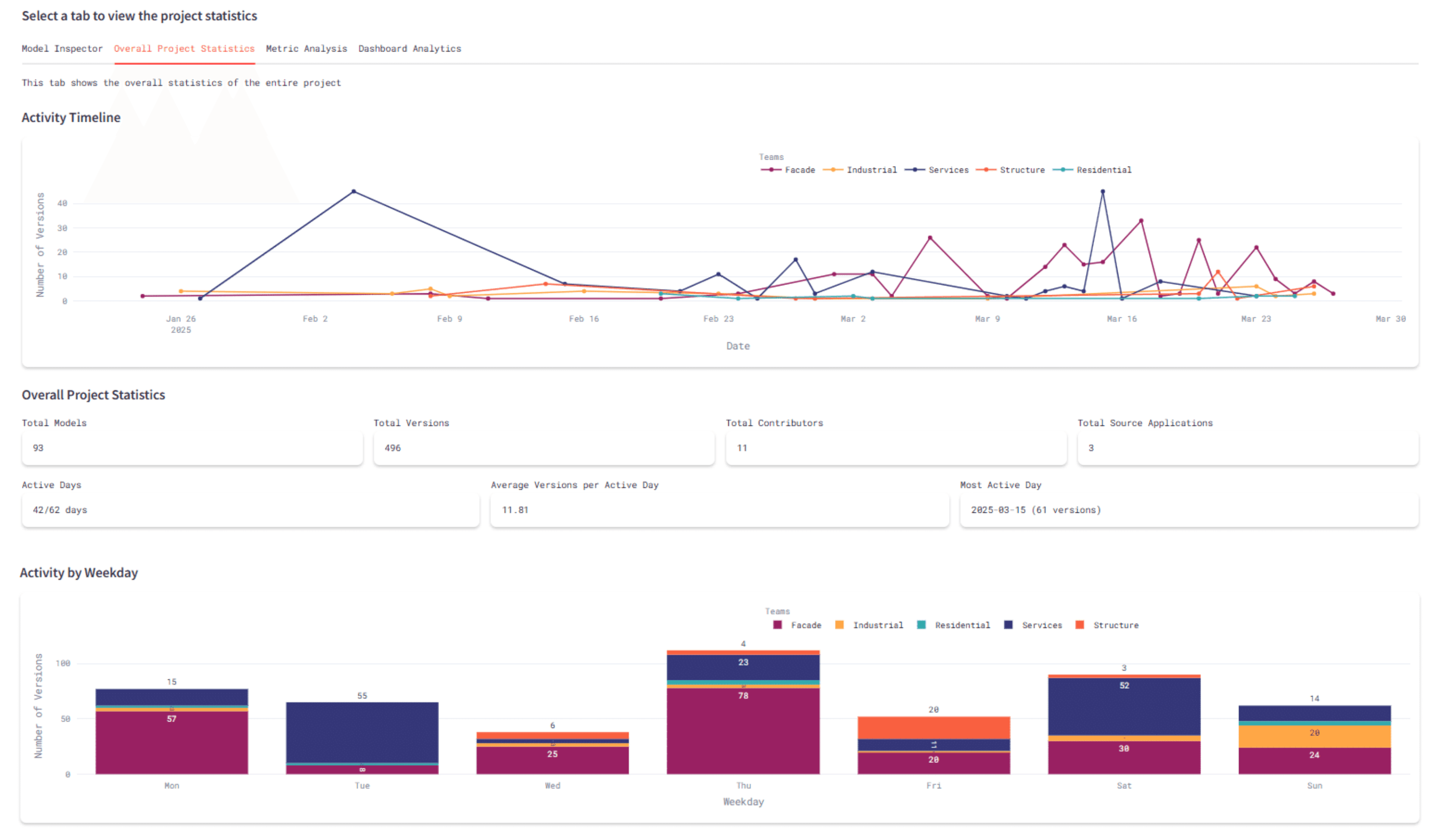
Project-level dashboard: overview of team concepts, KPIs, and federated model status
Team-level dashboards: detailed metric breakdowns, interactive calculators, and version tracking
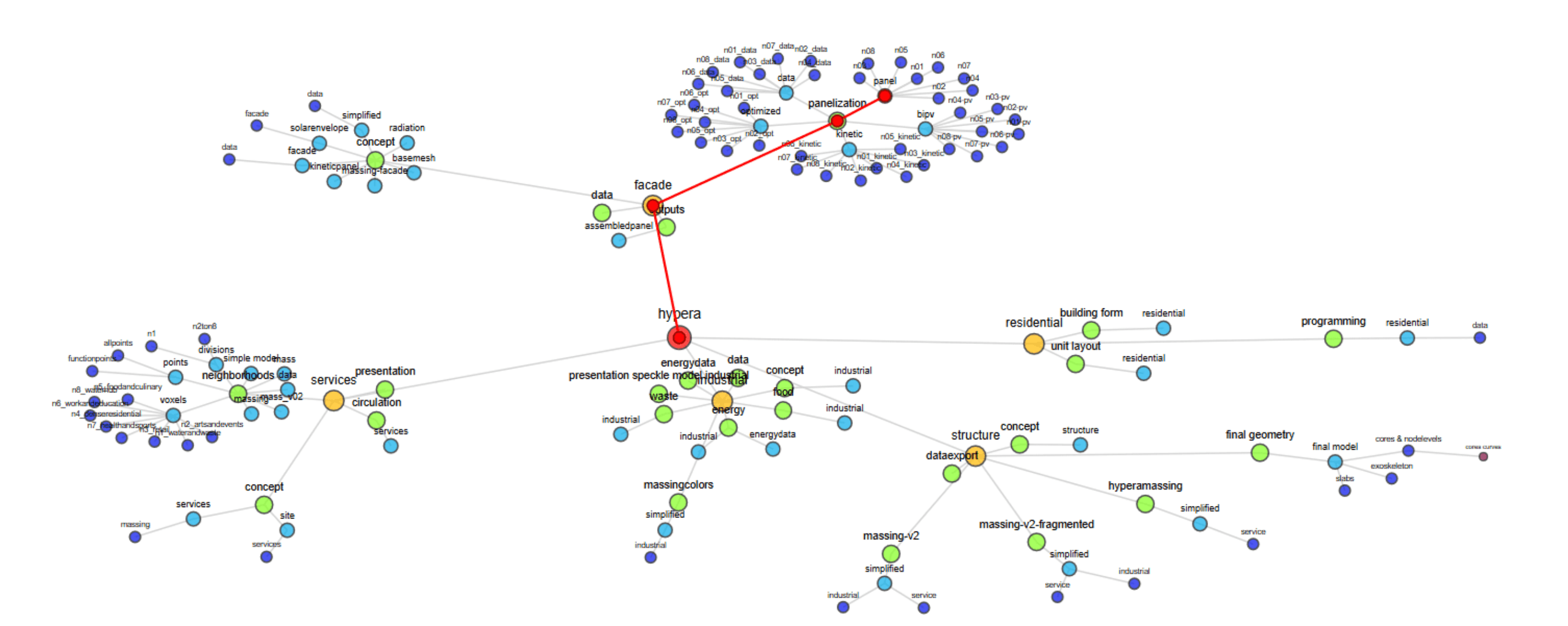
Network diagrams visualized model dependencies and relationships between teams.
Visualization Strategy
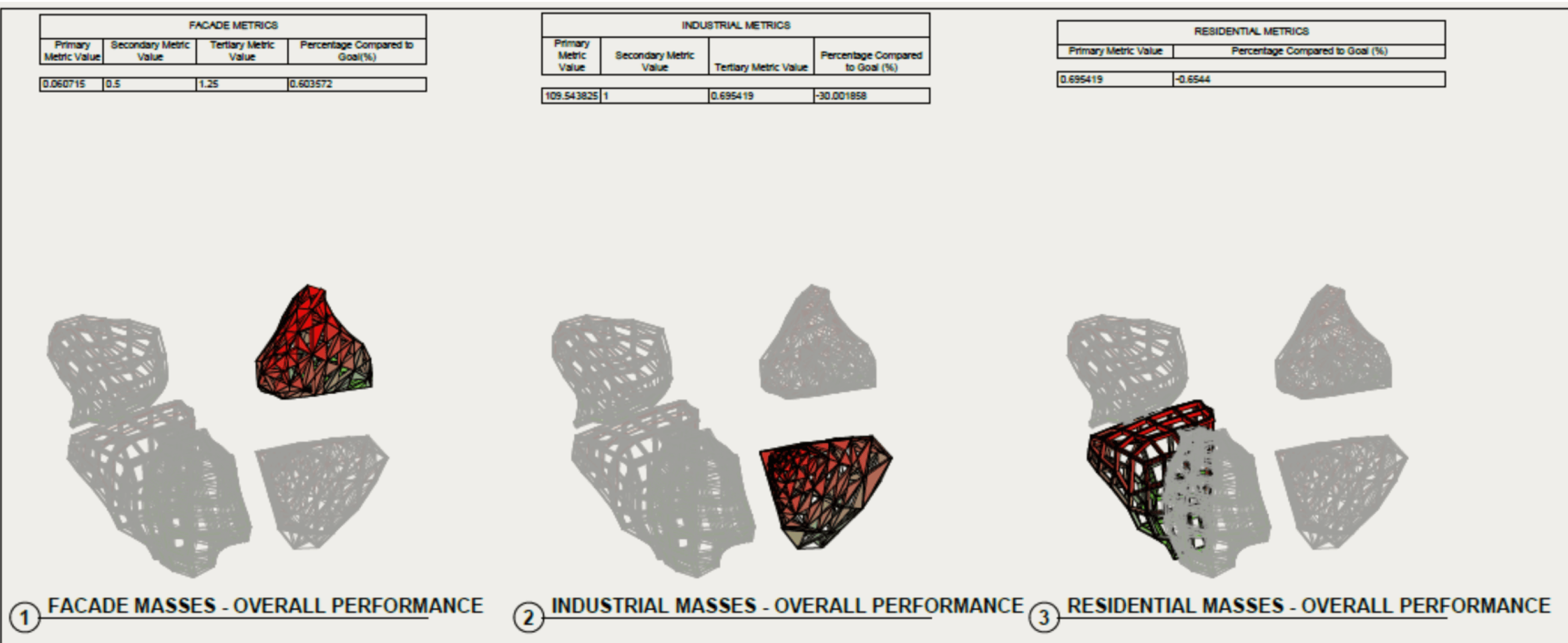
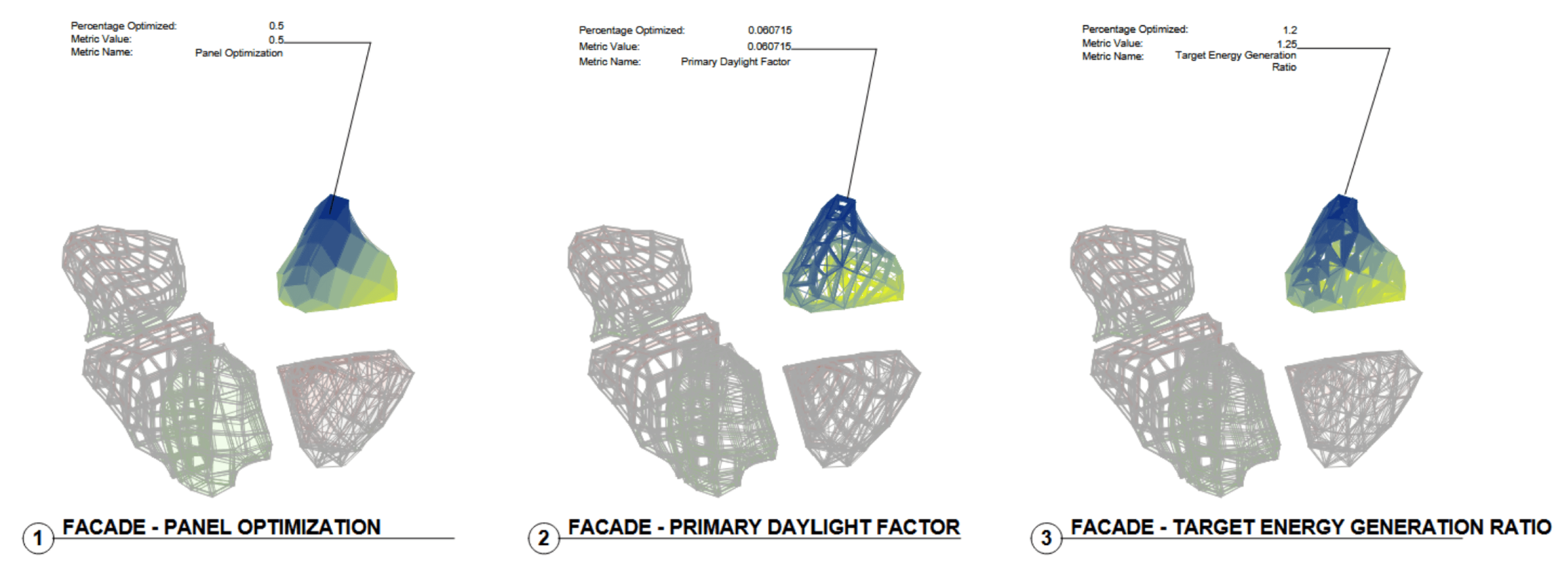
Performance metrics were translated into spatial feedback:
Team performance visualized using a red-to-green gradient (0–1 normalized score)
Individual metrics visualized using a blue-to-yellow gradient
Gradients applied to Revit materials, views, and schedules
This allowed immediate visual comparison of performance across teams and project areas.
Custom Panels and Adaptive Families
Adaptive panel families consolidated primary, secondary, and tertiary metrics
Metrics linked to Revit shared parameters via custom tags
Automatic updates ensured alignment between Grasshopper calculations, dashboards, and Revit documentation
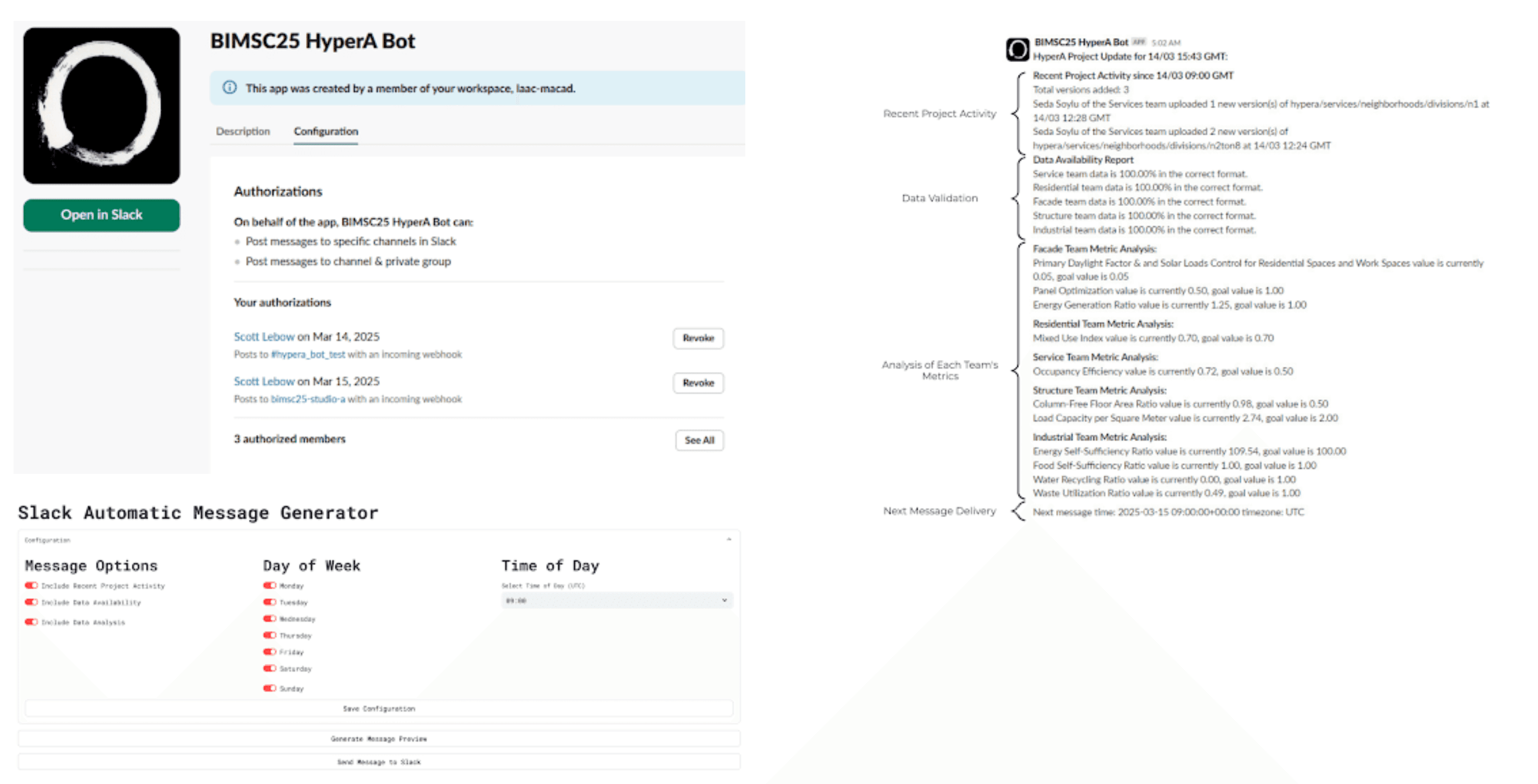
Communication Layer — SlackBot
SlackBot Purpose
Reduce manual monitoring by delivering automated project updates directly to Slack.
Features
Recent Activity: model updates, versions, contributors
Data Availability: format compliance and missing KPI detection
Data Analysis: KPI scores normalized to studio goals
Implementation
Hosted on a Streamlit server
Scheduled execution with Slack webhooks
Configurable content and reporting frequency
Dashboard outputs converted to markdown for Slack delivery
Outcomes & Evaluation
Deliverables
Centralized dashboards (project and team level)
Automated data extraction and KPI calculation scripts
SlackBot for real-time communication
Revit model with applied performance gradients
Grasshopper definitions and PDF schedules
Outcomes
Reduced cognitive load for design teams
Improved visibility of KPI performance across a 17-person studio
Enabled live monitoring of data health
Encouraged consistent data submission through automated reporting
Limitations
SpecklePy extraction speed limited real-time updates
Separate data-only models required when design models lagged behind
Workflow Structure
1
Data Extraction and Processing
2
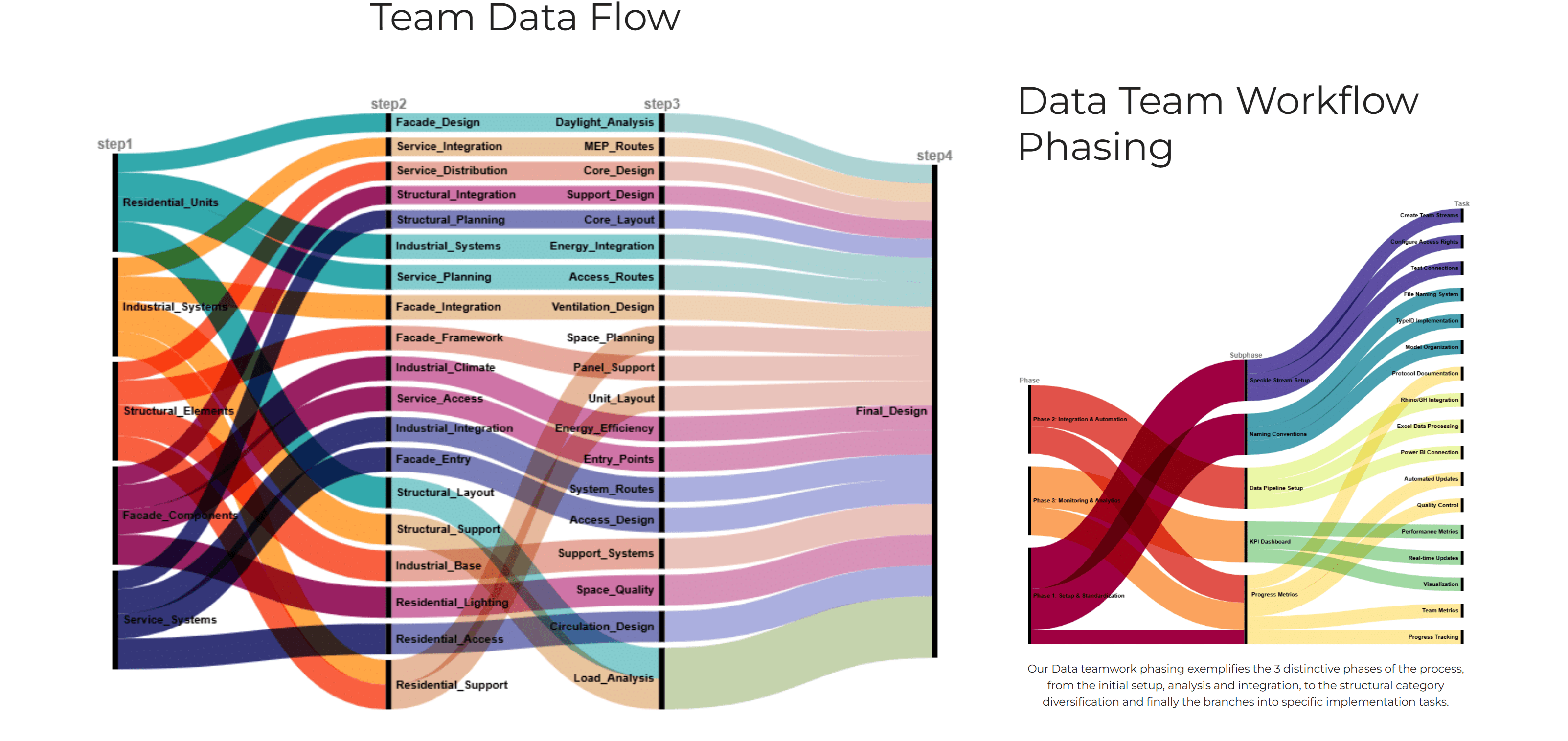
The data system was organized into three phases:
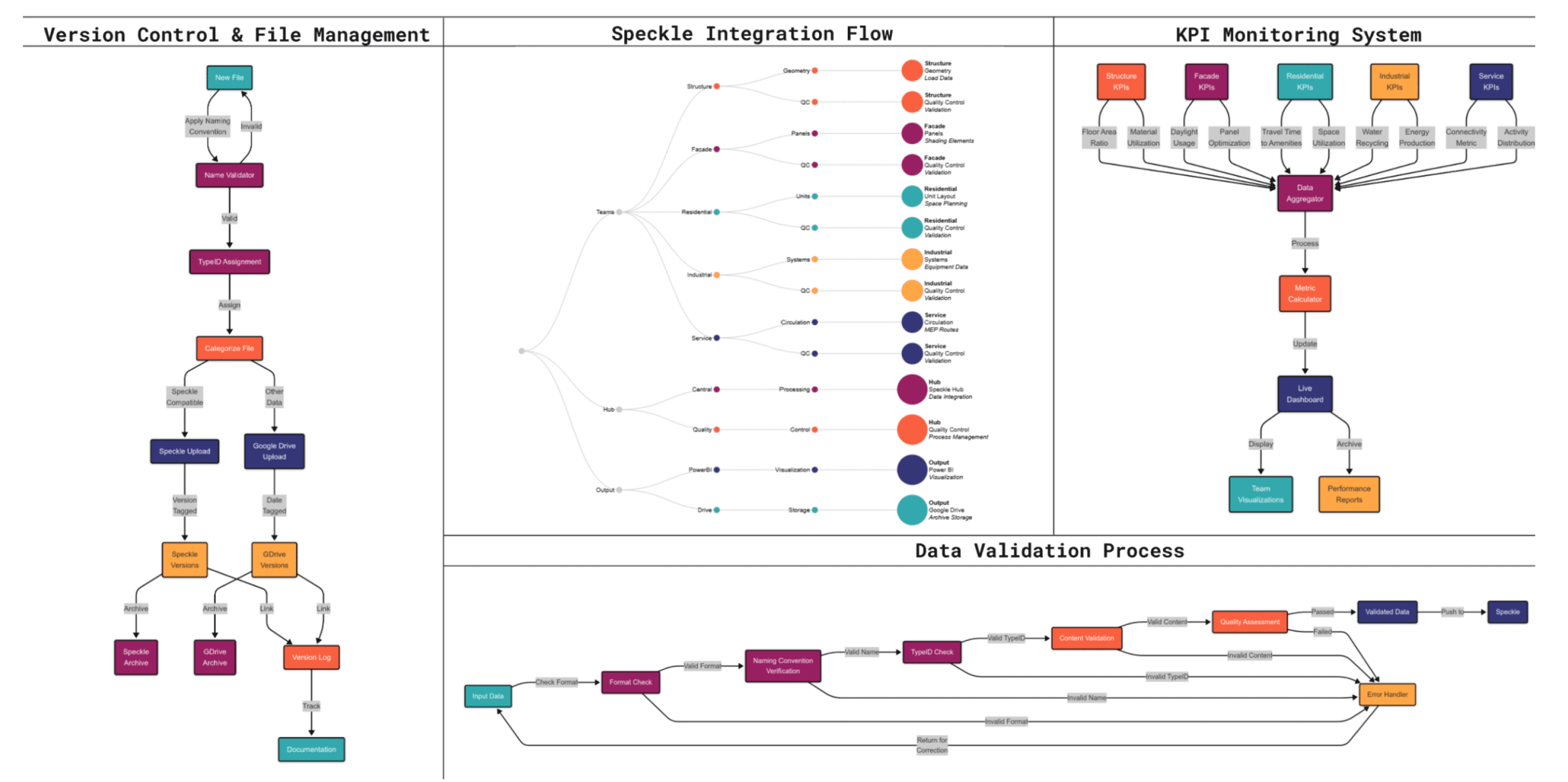
Setup and Integration – Standardized file naming, Speckle project structure, and Drive organization
Automation and Collaboration – Python-based extraction, validation, and dashboarding
Monitoring and Feedback – KPI tracking, version control, and real-time communication
This ensured consistent data exchange while allowing teams to work independently within their preferred design tools.
KPI Design
3
Automated Python scripts extracted data from weekly Speckle model uploads
Attribute flattening and targeted searches enabled reliable component-level data access
Data was parsed into CSVs and processed using preset algorithms
Metrics were calculated as absolute values and normalized scores (0–1 scale)
A total of 92 models were processed through this pipeline.
Each team defined 1–4 KPIs, tailored to their discipline.
Example:
Industrial Team: Energy Self-Sufficiency Ratio, derived from total generation versus demand rather than component-level detail
This approach preserved analytical clarity while avoiding direct involvement in BIM or CAD modeling.